


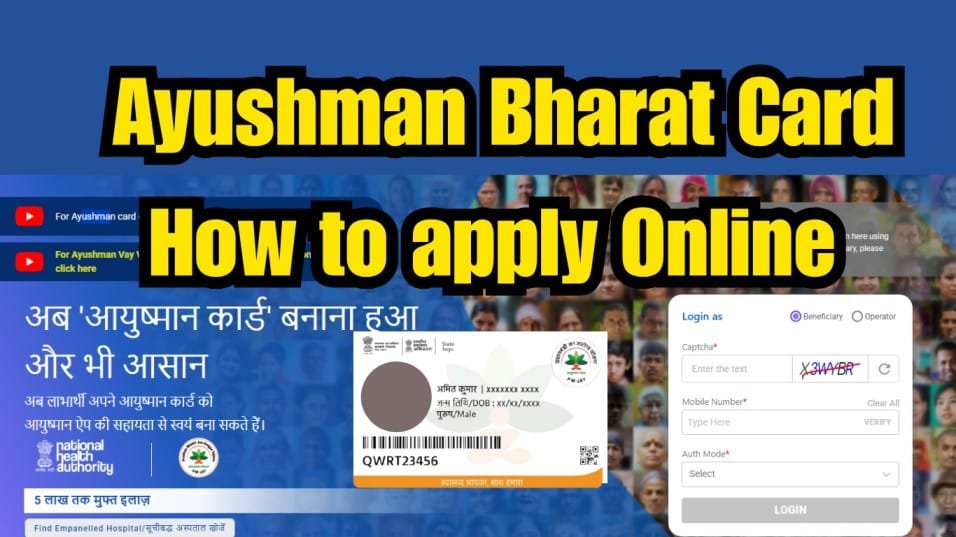
Ayushman Bharat Card also known as Prasham Mantri Jan Arogya Yojana. It is the gateway to free healthcare under the Indian government’s flagship scheme, Pradhan Mantri Jan Arogya Yojana (PM-JAY). With this card, eligible families can get cashless treatment worth up to ₹5 lakh every year at empaneled hospitals across India. Whether it’s a surgery or specialized treatment, the Ayushman Card ensures you and your loved ones receive quality care without the burden of medical bills.
How to Apply for Ayushman Card Online?
First Go through the official website https://beneficiary.nha.gov.in/ or download the Ayushman App.


Enter Captcha and provide number to get OTP and then provide the OTP for verification purpose and enter login.


Select your State, choose ‘Sub Scheme’ as PMJAY, and fill in your District. Then, under ‘Search By’, provide the required information and click ‘Search’.


Once your details appear, click on the ‘Do e-KYC’ button.


Choose the ‘Aadhaar OTP’ option for authentication. Your Aadhaar number will be displayed—click ‘Verify’.
Tick the consent checkbox and click ‘Allow’. Enter both the Aadhaar OTP and the mobile OTP received. You’ll get a confirmation message once the e-KYC is successfully completed.
Wait for 15–20 minutes, then log in again to the PMJAY portal.
Click on the ‘Download Card’ button.


Authenticate again using Aadhaar OTP. Click ‘Verify’, tick the consent box, and click ‘Allow’.
Enter the Aadhaar OTP and mobile OTP once more, then click the download icon to get your Ayushman Bharat card.
What are the benefits of Ayushman Card?
- Cashless Treatment Up to ₹5 Lakh Per Year
Get access to cashless healthcare services worth ₹30,000 to ₹5,00,000 annually at empaneled public and private hospitals for secondary and tertiary care. - Coverage for 24 Medical Specialties
Receive quality treatment across 24 specialties including oncology (cancer treatment), cardiology, orthopaedics, neurosurgery, and more—all without any out-of-pocket expenses. - Pre- and Post-Hospitalisation Costs Covered
The scheme also includes pre-hospitalisation and post-discharge expenses, such as follow-up care and medications, for up to 15 days. - Covers 1,929 Medical Procedures
The card covers over 1,900 procedures, including the full cost of treatment, surgeries, doctor fees, diagnostic tests, Non-ICU and ICU charges, OT expenses, hospital room charges, and prescribed medicines. Nutritious food during hospitalization, Treatment of complications during the hospital stay. - With the Ayushman card, you and your family can focus on recovery without worrying about the cost of healthcare.
Who are eligible for PMJAY Scheme?
Urban Workers (Informal Sector)
- Ragpickers and beggars
- Domestic helpers and maids
- Street vendors, hawkers, cobblers, and other street service providers
- Construction workers, masons, plumbers, laborers, welders, painters, and porters (coolies)
- Security guards and other head-load workers
- Sweepers, sanitation workers, and gardeners (malis)
- Home-based workers, artisans, handicraft workers, and tailors
- Transport workers including drivers, conductors, helpers, rickshaw pullers, and cart pullers
- Shop assistants, peons, delivery boys, waiters, and attendants in small establishments
- Electricians, assemblers, mechanics, and repair service providers
- Washermen (dhobis) and night guards (chowkidars)
Rural Households (Based on Deprivation Criteria)
- Families living in kacha houses with only one room
- SC/ST families
- Families with a disabled member and no able-bodied adult
- Households with no adult male member between the ages of 16–59
- Landless families who depend solely on manual, casual labor for their livelihood
Ayushman Card also eligible for 70 above individuals that started from 2024.
Also Read: Ayushman Vay Vandana Scheme: Senior Citizens, Get ₹5 Lakh Health Coverage